When the Nintendo Switch was released in 2017, it was a truly revolutionary piece of technology. Not only did it pioneer the hybrid console format, but it also led to the current revitalization of handheld gaming. As the third-best-selling game console of all time, with a total of 152.12 million units sold as of March 2025, the question of how Nintendo would follow up on a nearly perfect device was at the top of everyone’s mind. Nintendo’s answer? Stick with what worked before, but refine it with slight alterations. This focus on refinements makes the Nintendo Switch 2 a vastly superior console when compared to its predecessor, but it also makes for a largely boring new console experience.
The Hardware
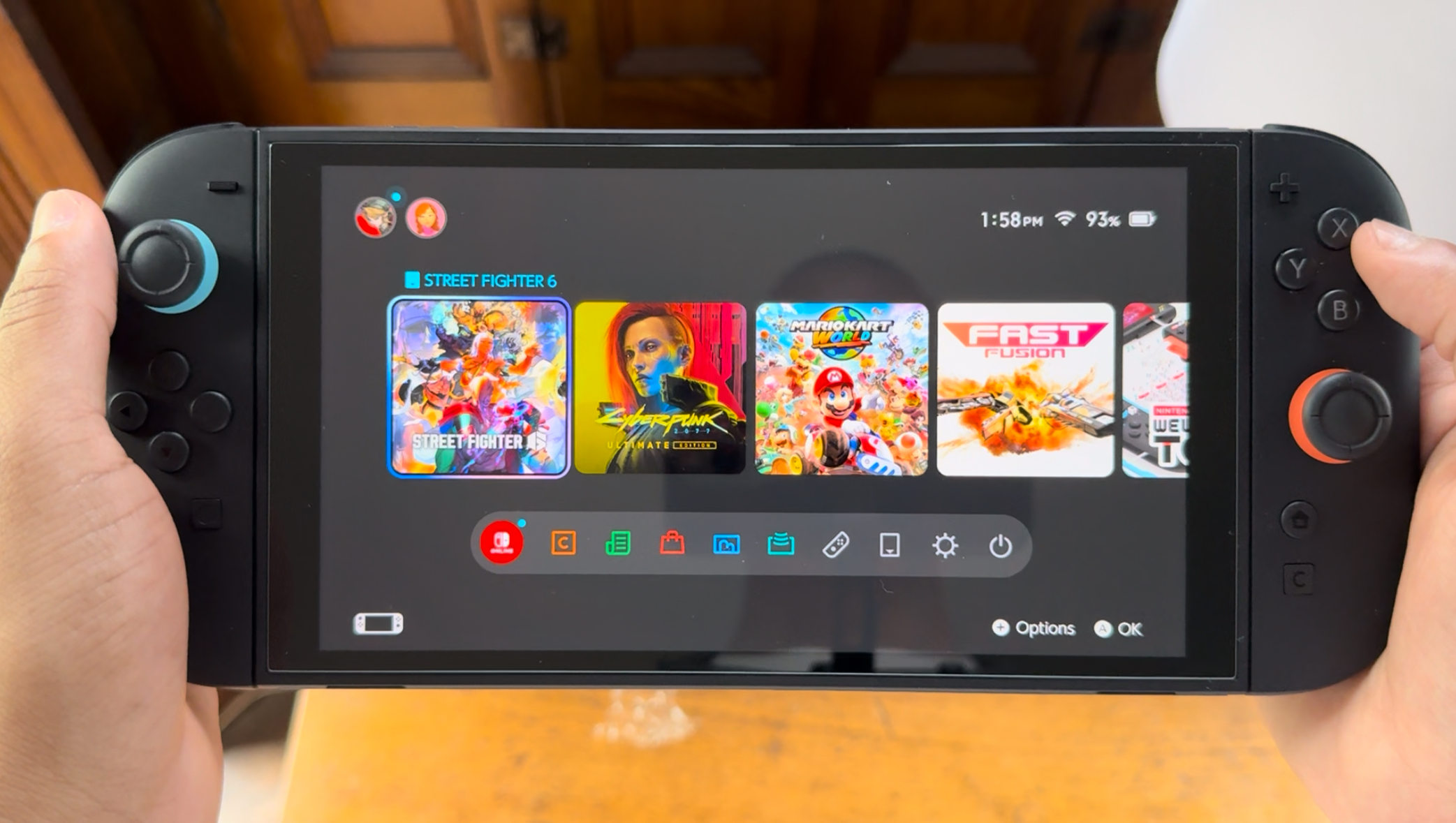
Let’s talk about the hardware first. The Nintendo Switch 2 is essentially just a bigger, more powerful Nintendo Switch. I realize that may sound reductive since there are some genuinely new things it does over the original Switch, but it’s the truth and, in my opinion, that’s not entirely a bad thing. It features a 7.9-inch 1080p LCD touchscreen, a significant jump over the 6.2-inch 720p LCD screen on the original Switch. The new screen also supports HDR10 and VRR up to 120 Hz. When the system is docked, it can output a 4K resolution at 60 FPS. 120 FPS gameplay is also possible when docked if your TV supports it, albeit at 1080p or 1440p. Making all this happen under the hood is a new custom NVIDIA processor that allows the Switch 2 to use a form of NVIDIA’s DLSS upscaling technology.
Since I’m neither a tech wiz nor a Switch OLED owner, I can’t speak to many of the nitty gritty, hyper-technical aspects of the Switch 2, such as the nuances of the screen, how it compares to that of the Switch OLED and other handheld gaming devices, or how well the system uses DLSS. What I can say is that I think the screen looks great and is a sizable improvement over the OG Switch. Just looking at them in side-by-side comparisons, it makes me question how I ever played on that smaller screen. The bezels on the Switch 2’s screen aren’t as thick as its predecessor, and the screen naturally blends into them when it’s off, making them much harder to notice at first glance. I’ll talk about the various games I’ve played on the Switch 2 a little later, but the increase in screen size and visual quality across the board makes playing handheld or docked a much better experience than before.
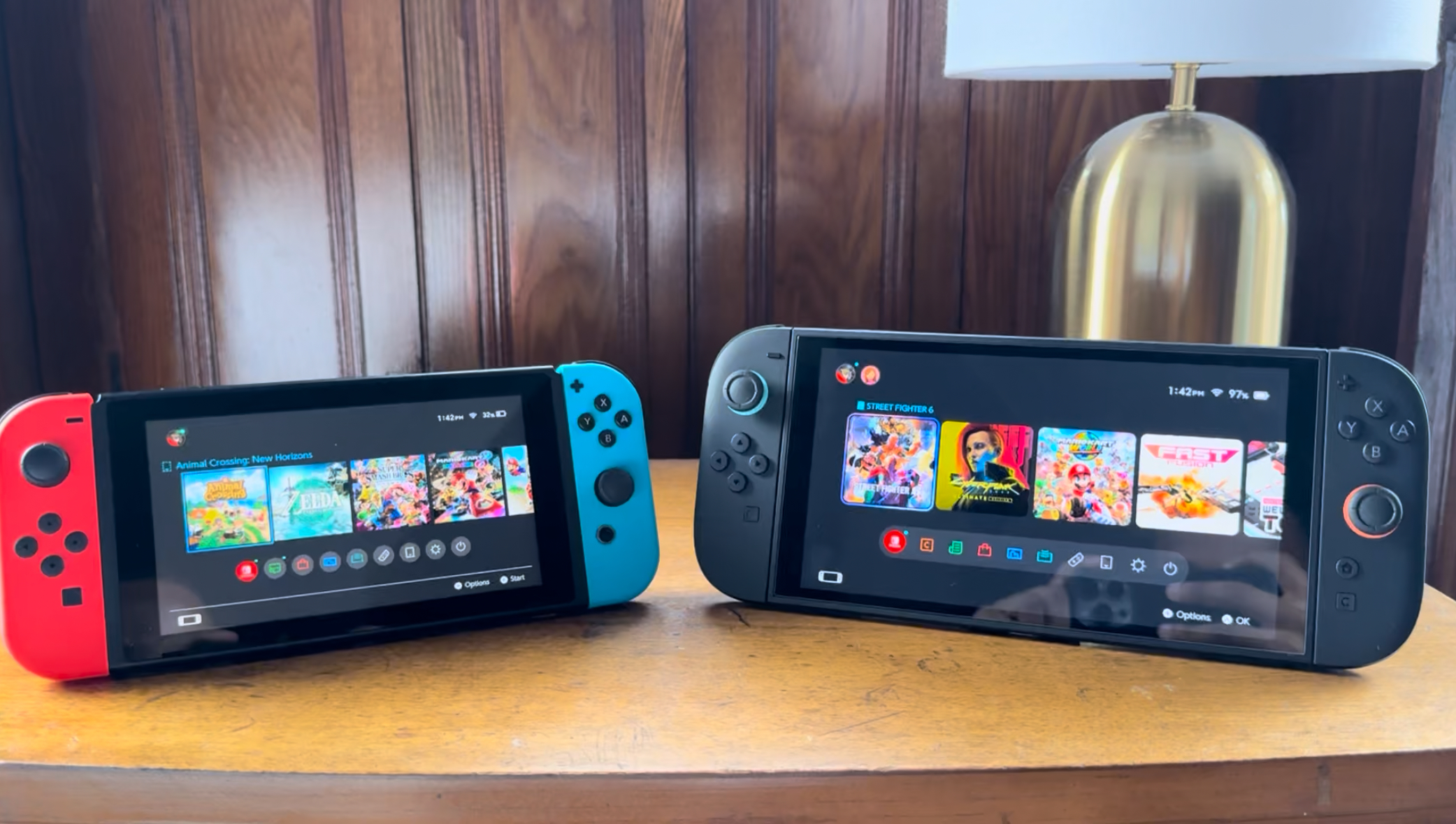
The Joy-Cons (now called Joy-Con 2) have also seen an increase in their size and weight, though it’s a more subtle jump than with the screen. There’s a certain heft to them that makes them feel more premium and less like little playthings, but it’s such a minute increase that they don’t feel too different from the original Joy-Cons. That sentiment also applies to the weight of the console itself when the Joy-Con 2’s are attached to it. I always liked the original Joy-Cons, but I’m able to hold the Joy-Con 2’s a bit more comfortably and don’t have to use as tight a grip as I would with their previous incarnation, which is always nice.
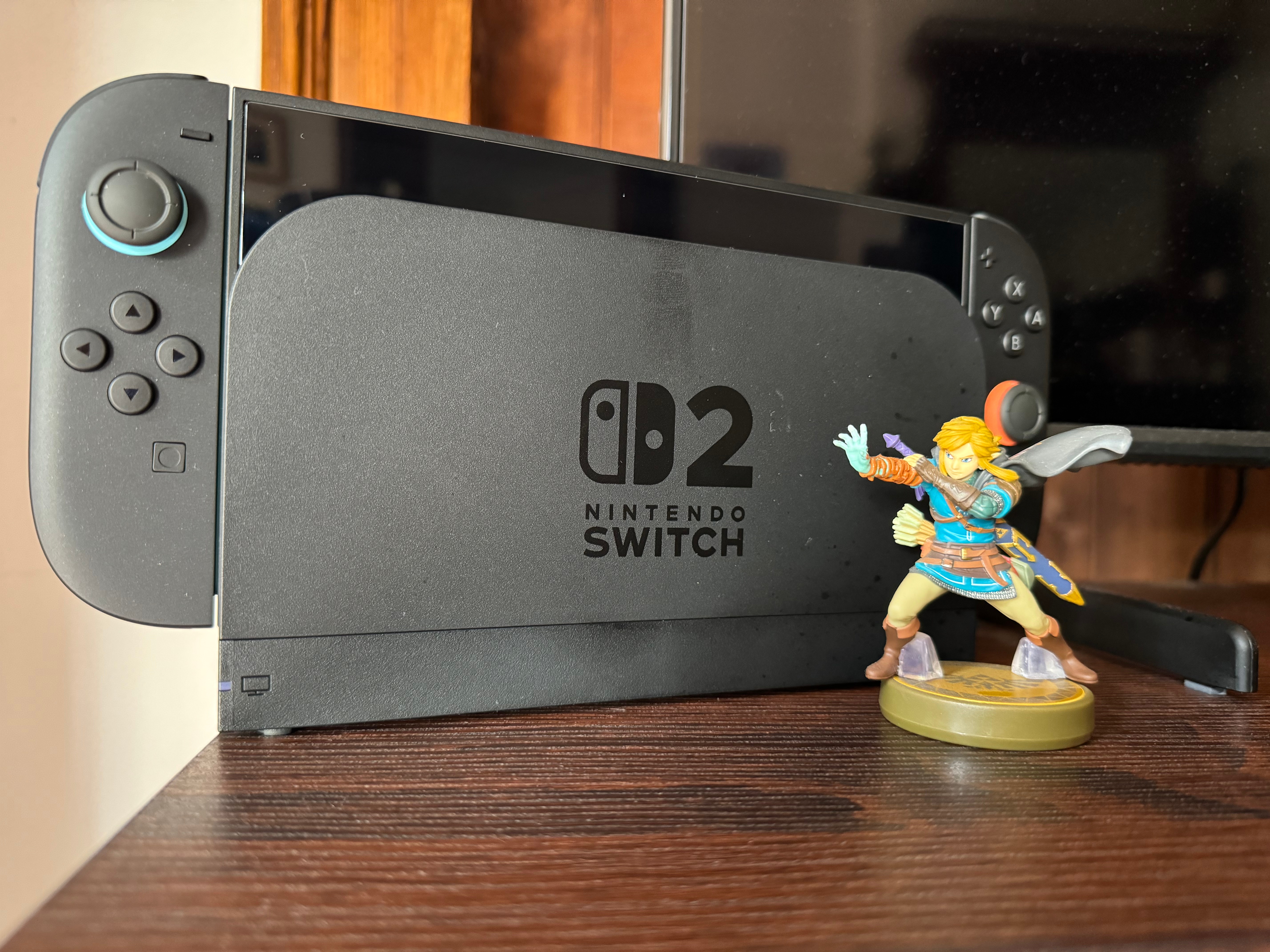
One major difference with the new Joy-Cons is the fact that they no longer slide onto the sides of the Switch 2. They now attach to the system via magnets inside the console, producing a more satisfying click than in the past. Once attached, they give the system a sleek, premium appearance that I really love. Just like before, detaching the Joy-Con 2’s requires pressing a button on the backside of the controllers, but it’s not a simple button press. You have to really push down on them to force the separation. Trust me, these are strong magnets. As a test, I held my Switch 2 vertically while holding only one of the Joy-Con 2’s and didn’t feel the magnetic grip loosening at all. Can they be detached without the buttons if you use enough force? Maybe, but I’ll leave that to other people to test out.
Something that’s been taken away from the Joy-Con 2’s is their color. They’re now all black, with the only hints of the classic red and blue colors from the original Switch Joy-Cons being at the base of the analog sticks and the inner part that connects to the system. It’s a shame that the color has been all but removed since it makes the Switch 2 feel a bit more cold and straight to business, unlike the original Switch, which exudes warmth and playfulness. I like the more premium look of the system, but it’s a stark difference akin to that of the joyful fairies and the business-focused pixies from The Fairly OddParents.
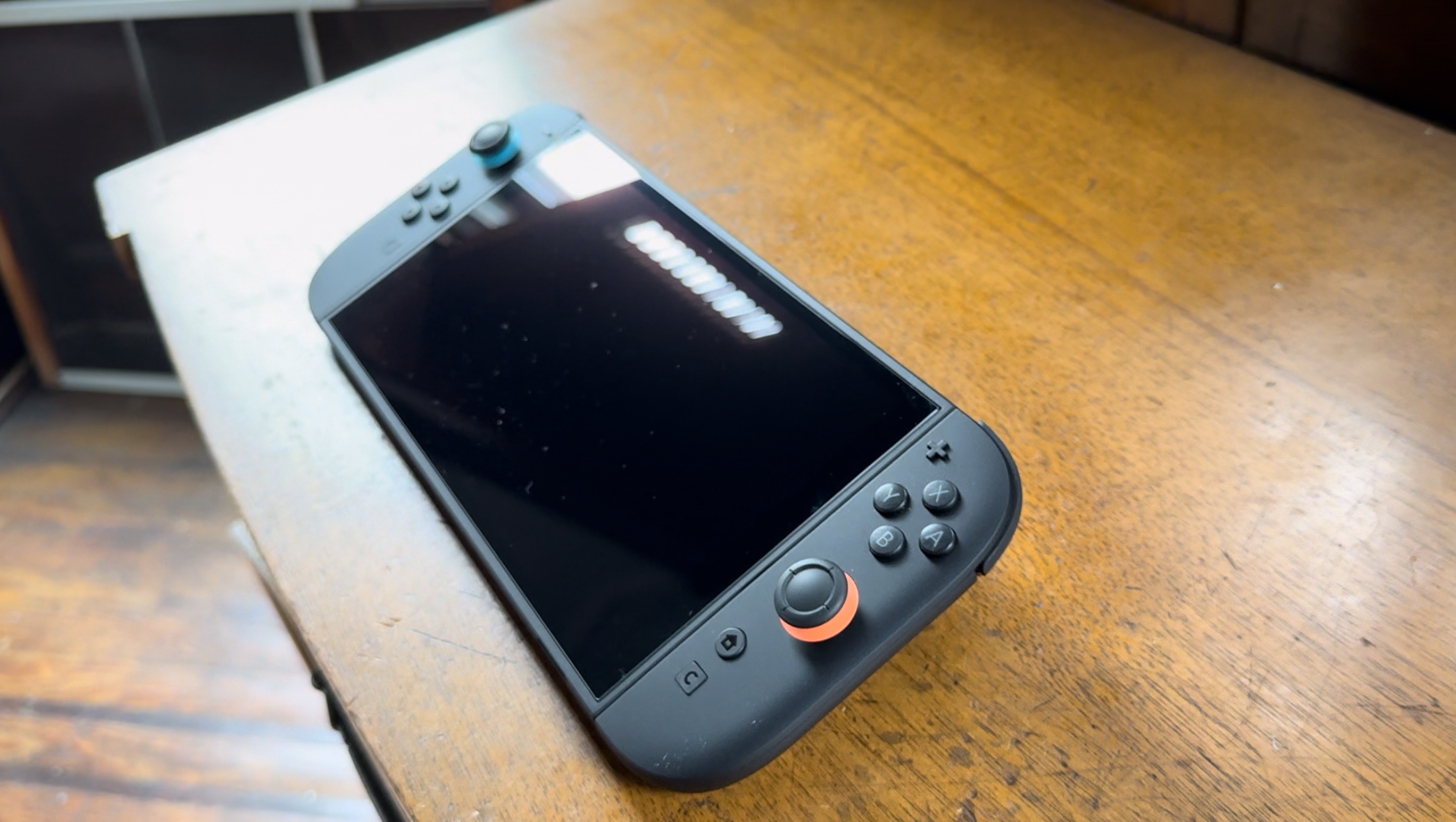
Another aspect of the Switch 2 hardware that’s been improved is the kickstand. Nintendo has wisely followed in the footsteps of the Switch OLED’s kickstand here, as it runs along the entire back of the system and allows you to freely angle the Switch 2 however you’d like for tabletop play. That alone is great, but I especially appreciate how sturdy the kickstand feels. I never felt 100% comfortable using the kickstand on my original Switch; its flimsy, thin piece of plastic always seemed like it was one wrong move away from snapping off. I also had the same fears whenever I opened the game cartridge slot on my original Switch, but it’s also been updated with a sturdier, more durable part. They’re small changes, but they go a long way toward making the Switch 2 feel as premium as it looks.
As for the rest of the hardware, it’s all pretty straightforward. The Switch 2 comes with 256 GB of storage space, a significant improvement over the 32 GB of the original, and that space can be expanded with a microSD Express card that easily slots in underneath the kickstand. On top of the system, you’ll find the power and volume buttons, the headphone jack, a surprisingly great microphone for voice chat (more on that in a bit), and the system’s second USB-C port. The additional USB-C port can be used to charge the console if you’re playing undocked, or it can be used to plug in a webcam for video chatting. Nintendo is selling its own camera, but you can use third-party webcams instead. I tried using my PS5 HD camera to no avail, but my Logitech C922x webcam worked just fine. The Verge has a list of compatible webcams for the Switch 2, so I suggest checking it out and doing some research to see if any webcam you own will work with the system.
Not to leave out the dock, but similar to the console itself, it’s really just a bigger, slightly refined dock. In addition to the HDMI port, it also has an internal fan for better cooling, two USB-A ports, and an Ethernet port. Thank you, Nintendo, for not making us wait for a revised dock so we can have a wired internet connection.
The Software
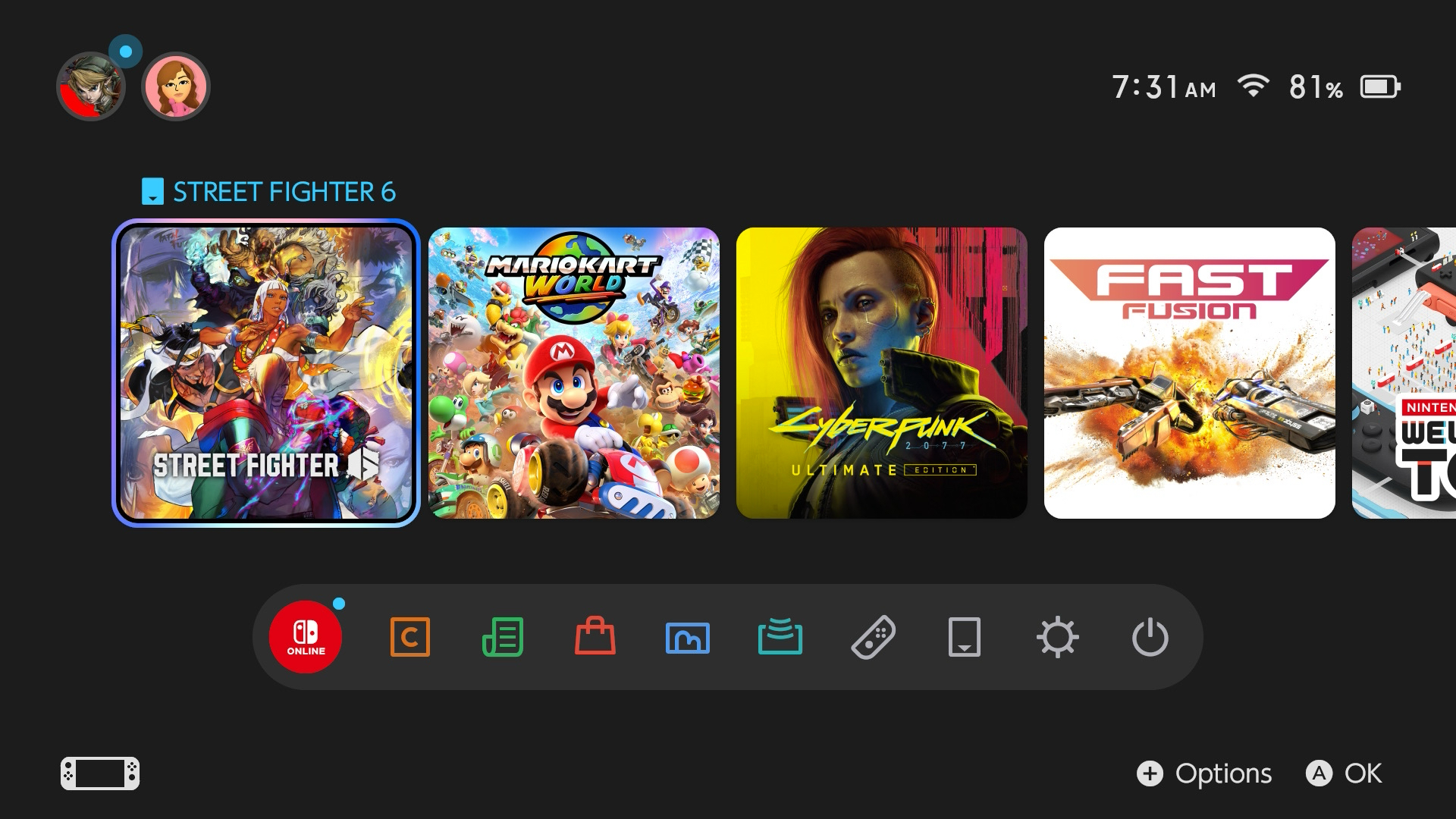
Now, once you’ve got your Switch 2 plugged in and squared away, it’s time to actually use the thing you spent at least $450 on. The setup process is simple, and if you have a Switch 1, doing a system transfer will carry over all your profiles, games, save data, and system settings. It takes a short amount of time, but when it’s all said and done, it’ll be like you never left your original Switch. I mean that quite literally because when it comes to actually using the Switch 2, nothing is more boring and straightforward than its UI. Game icons have slightly curved edges, and hovering over items gives them a gradient-colored outline, but otherwise, everything here is exactly the same as it is on the original Switch.
The barebones UI has always made the Switch feel like a device that was solely about playing games, so I can understand why some people would be satisfied with it when compared to the UI for the PlayStation 5 and Xbox Series X|S, which can feel a bit overstimulating. I thought the original UI was passable and got the job done, but I lamented how it lacked any sort of charm or personality. So, needless to say, it’s disappointing that Nintendo chose not to do anything that would breathe life into the Switch 2’s UI. Soothing music, different background colors, or even simple themes based around Nintendo’s many first-party franchises would do wonders for making the Switch 2 feel like the brand-new console it is, as opposed to an iterative update à la modern smartphones.
One aspect of the UI that has seen positive change is the eShop. If you used the eShop before, then you know it was a hot mess. It was slow to load and a painful slog to navigate, making it borderline unusable, but Nintendo has made it significantly better on the Switch 2. Now the eShop loads without missing a beat and is far more responsive when going between its different categories. It took eight years, but Nintendo finally got it right. It’s also a different color now, so there’s that too.
The other element of the UI that I like actually has to do with the Joy-Cons, specifically their mouse controls. When the inside of the Joy-Con is placed on a flat surface, the controller functions like a computer mouse, with the L or R button acting like a left-click. When used in the system’s home pages and the eShop, the mouse controls let you scroll through options as easily as you would on a computer. They’re a novel addition, and can feel a bit like a gimmick, but I found myself liking them quite a bit. It’s also cool that you don’t have to use a desk for the mouse controls. An armrest or even your lap will suffice.
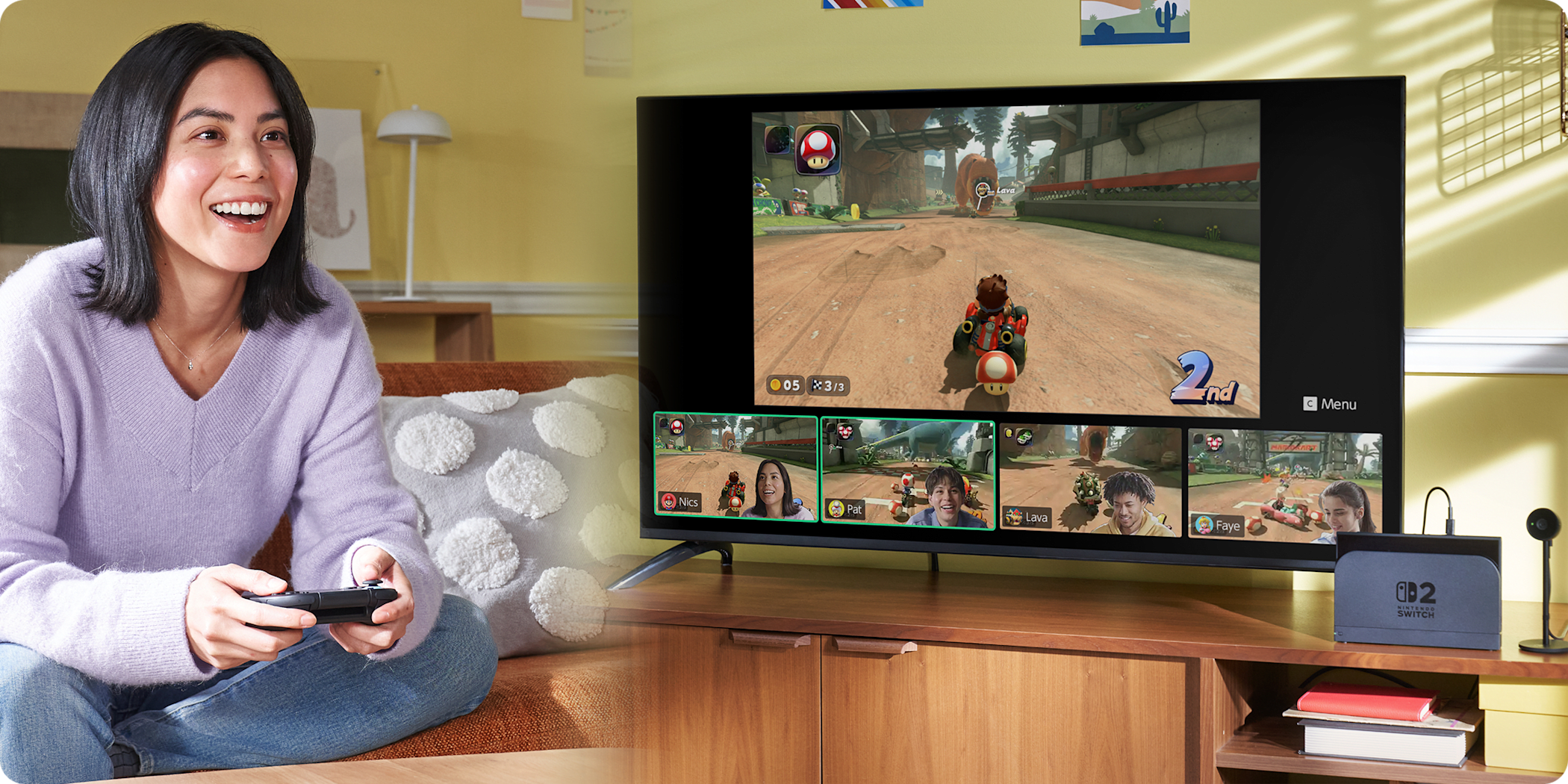
What I also found myself impressed with was the new GameChat feature. This is basically Nintendo’s take on parties, or more specifically, Discord, and it works surprisingly well. Pressing the C button on the right Joy-Con opens up the GameChat menu, where you can either set up a GameChat lobby or join any available lobbies. Once you’re in, your primary display shrinks a bit to make space for everyone’s displays underneath it, but you can adjust this in the settings, along with how audio is prioritized between your game and your voice chat.
I mentioned before how the microphone is shockingly great, and that’s for two reasons. First, there’s how clearly it captures your voice. When I was testing this with my buddy Rob, he was about 8-9 feet away from his Switch 2, and was talking a bit louder than his normal volume, but he sounded like he was no more than 1-2 feet away from it. I sit about 1-2 feet away from my Switch 2 when it’s docked, and he said I sounded like I was talking directly into the mic. Nintendo also claimed that the microphone would cancel out most, if not all, background noise and isolate your voice during chats, and from this brief test, they weren’t wrong. I played some music off my phone, and Rob said he could somewhat hear it when I spoke, but only when I spoke, and only because he was trying to listen for it. At one point, his garage door opened, and another person came into the room, but the only reason I was made aware that those things happened was because he told me, not because I heard them.
The other pillar of GameChat is the ability to share your screen and camera with everyone else in the party. We didn’t test the camera side of things, but Rob and I shared our screens, and it’s exactly as Nintendo advertised it. Your game continues to run and look perfectly fine in your primary display, but runs at a significantly lower frame rate in the shared display. Is it funny to see? Sure, but if I had to choose between my game running worse and the shared display looking a bit worse, I’d take the latter every day. Nintendo has notoriously made communicating with friends more arduous than it should be in the past, so I’m glad the company chose to eschew its previous habits. GameChat is simply great, and its ease of use and functionality put the company more in line with other platforms.
The Games
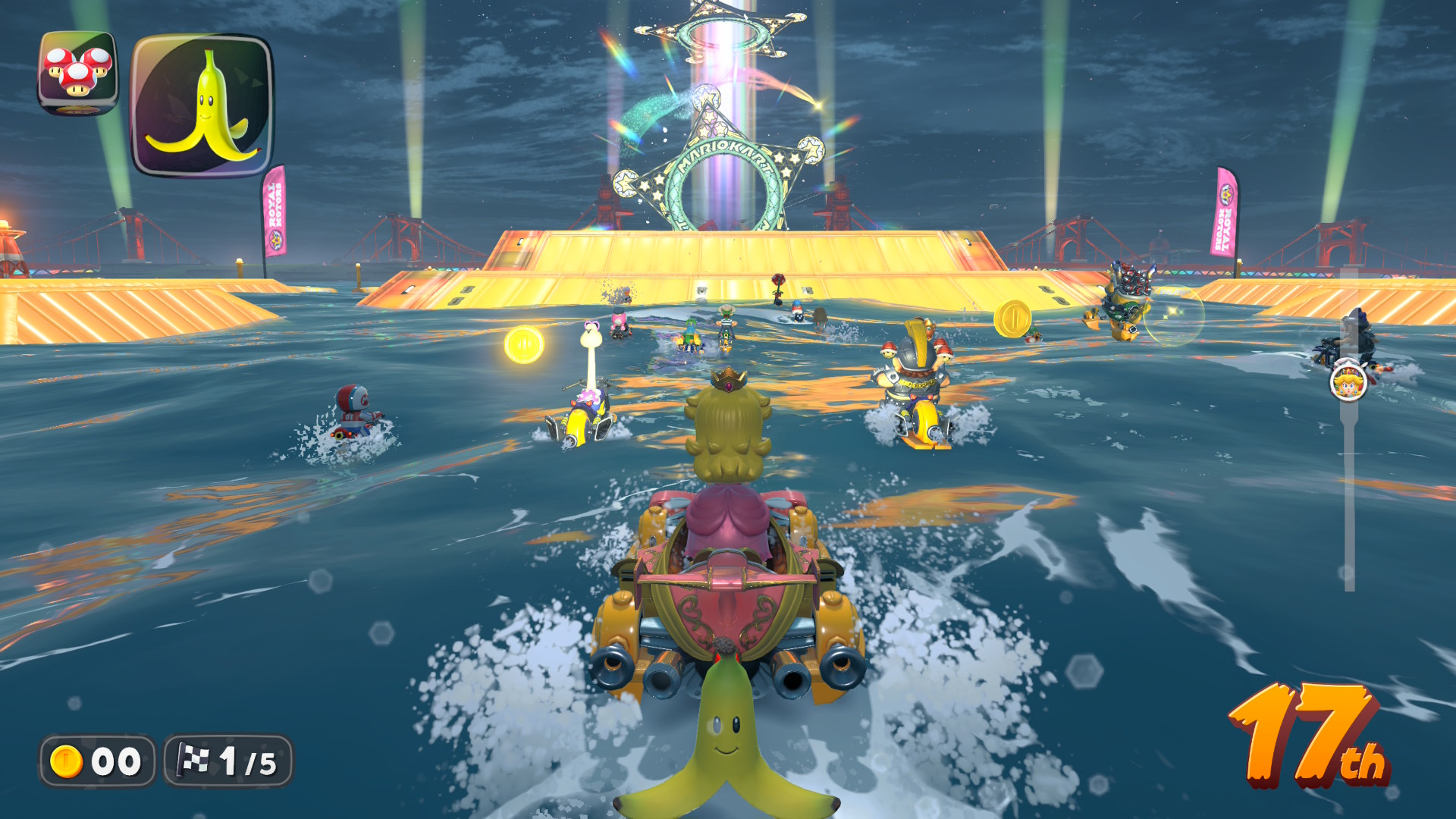
Of course, you can’t have a video game console without the games. The day one launch lineup for the Switch 2 is admittedly heavy on ports and enhanced versions of previously released Switch titles, with Mario Kart World being the only notable brand-new game available. How exciting this is will vary from person to person, so if the Switch was your only gaming platform, then I imagine you’ll be more than happy with what’s on offer, especially since the system is backwards compatible with the original Switch. However, if you have a PC, PS5, or Xbox Series X|S, chances are that you’ve played many of these games already, so the launch lineup might not be as impressive to you.
Since its June 5th release, I’ve played a total of nine games on my Switch 2 in both handheld and docked modes to get the full Switch 2 experience. I won’t be going too in-depth on all of them, but I do want to provide a good idea of what my thoughts are on the games themselves and what it’s like playing them on the new console. Starting with backward-compatible titles that didn’t receive a shiny enhanced edition, I booted up Super Smash Bros. Ultimate and Animal Crossing: New Horizons. Both of these games ran just fine on the original Switch, but they benefit from faster load times on the Switch 2.
For Smash Ultimate, loading into the game’s opening cutscene was a fair bit faster on the new console, taking only 20 seconds on Switch 2 and 27 seconds on the older console. The pre-match and post-match load times are also faster on Switch 2, but only by a difference of less than three seconds. Animal Crossing had painstakingly long load times on the original Switch, but they’ve been cut down substantially, taking only 33 seconds to load into the game on Switch 2, as opposed to the 53 seconds it takes on the original Switch, and this speed persists beyond the title screen.
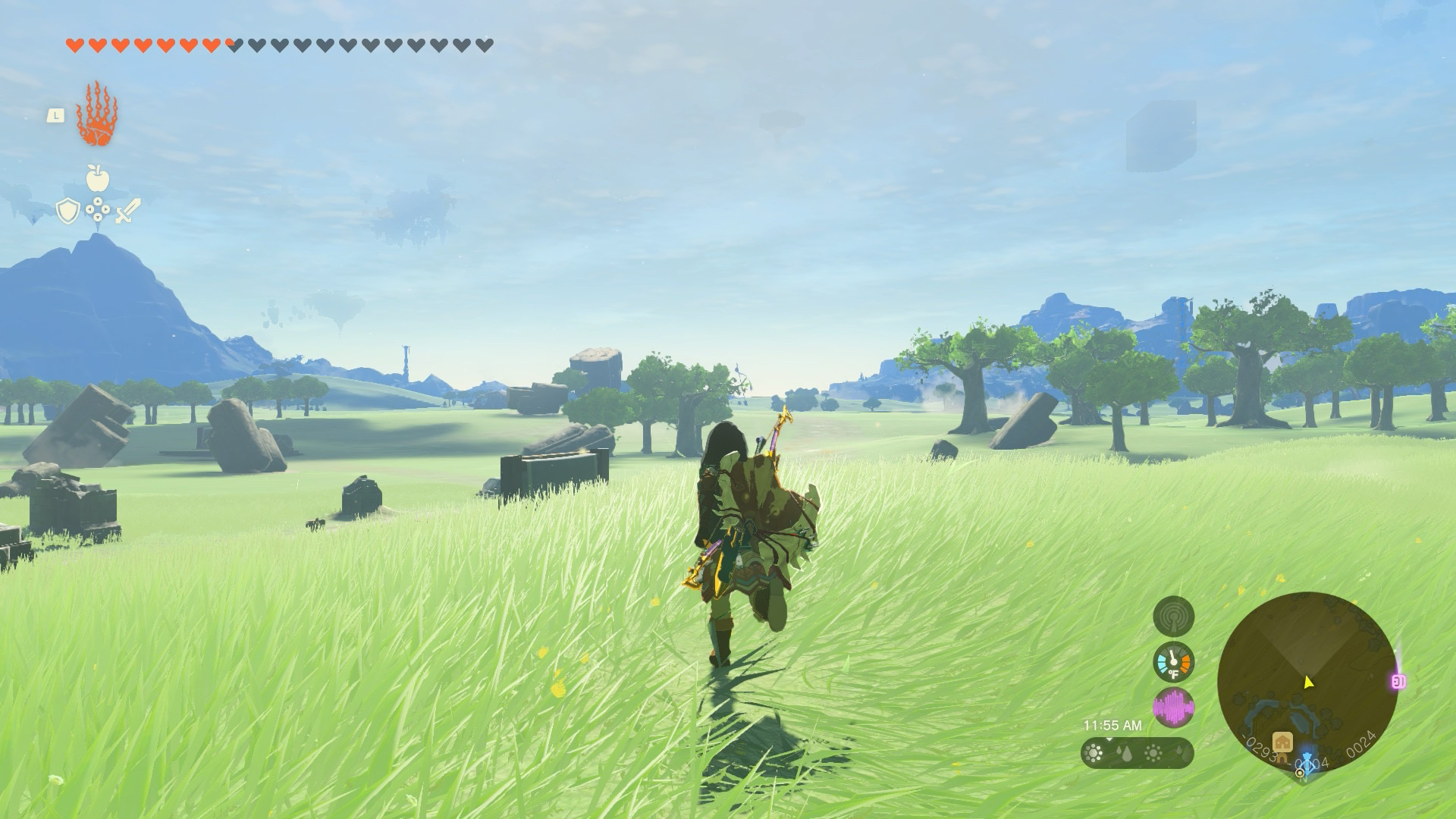
Then there’s The Legend of Zelda: Tears of the Kingdom. This game does have a Switch 2 Edition, but I gave the original version of the game a spin on the Switch 2 first and found that the load times were indeed faster on the new system, and to my eye, the frame rate seemed to be more stable in certain instances. I don’t have any other games that struggled on the system, such as Bayonetta 3, Pokémon Scarlet & Violet, or Batman: Arkham Knight, but other outlets and creators have reported these games getting performance and resolution boosts on the Switch 2 either through a patch to the game or just by running on the system, so it stands to reason that the extra power of the new hardware will be a boon for the original Switch’s vast library.
Getting back to Tears of the Kingdom, I did pick up the Switch 2 Edition that promises 60 FPS, HDR, higher resolution, and faster load times, among other gameplay additions. And let me say, it’s well worth the price of admission! I was as shocked as Tobey Maguire in Sam Raimi’s first Spider-Man movie when Peter is testing his eyesight after gaining his powers. The improved visual quality across the board makes a world of a difference in not just appreciating how Hyrule looks, but also how the game plays. I’m not someone who obsesses over games running at 60 FPS, but I seriously don’t think I could go back to playing this game at 30 FPS. The load times aren’t anything to sneeze at either, clocking in way under the load times for the Switch 1 version. Tears of the Kingdom was already a superb game, and the Switch 2 Edition makes it even better.
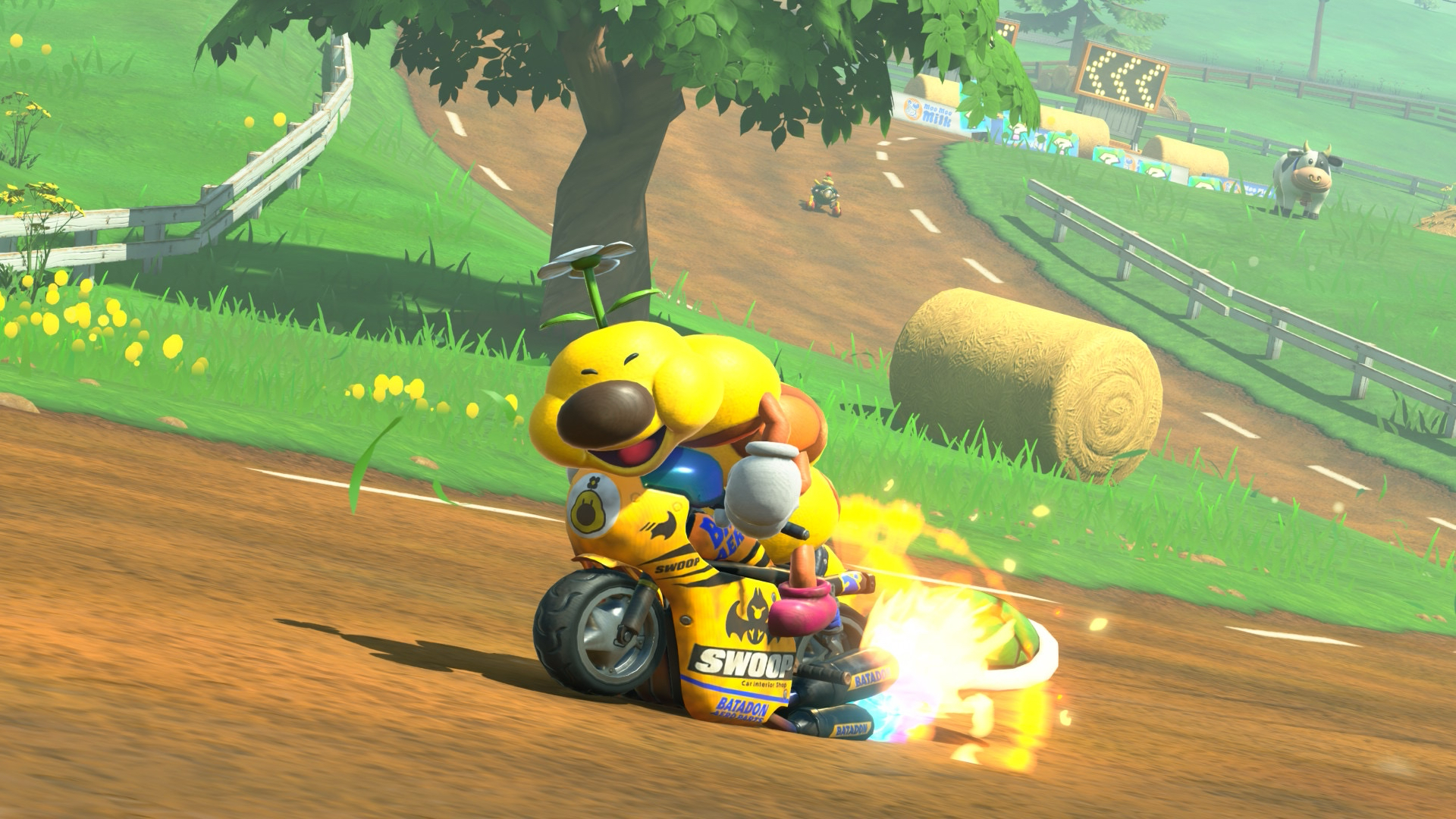
As for Nintendo’s other first-party releases for the Switch 2, I spent a bit of time with Nintendo Switch 2 Welcome Tour, and it’s… fine. It’s a cute, informative, and semi-interactive deep dive into how the Switch 2 works, but it didn’t hold my interest for long. At $10, it’s not egregiously priced, but it’d be better served as a pack-in title. Mario Kart World is the big first-party launch title, and it’s a fun time! I’m working on a separate piece solely for Mario Kart World, so for now, I’ll say that the core fundamentals of chaotic fun and great track design are present and heightened with the new grinding and wall-riding mechanics. The open world does leave something to be desired and subsequently hampers other aspects of the game, but it’s a solid package overall, if not the must-play game that Breath of the Wild was for the original Switch.
If Mario Kart World isn’t necessarily your speed, perhaps Fast Fusion will be more up your alley. Developed by Shin’en Multimedia, this futuristic arcade racer is a thrill ride that I’ve had a blast with so far. Image quality is a bit on the rough side, something that Digital Foundry also notes, but it’s not much of a detractor for me. With its $15 price tag, it’s a great companion piece to Mario Kart World.
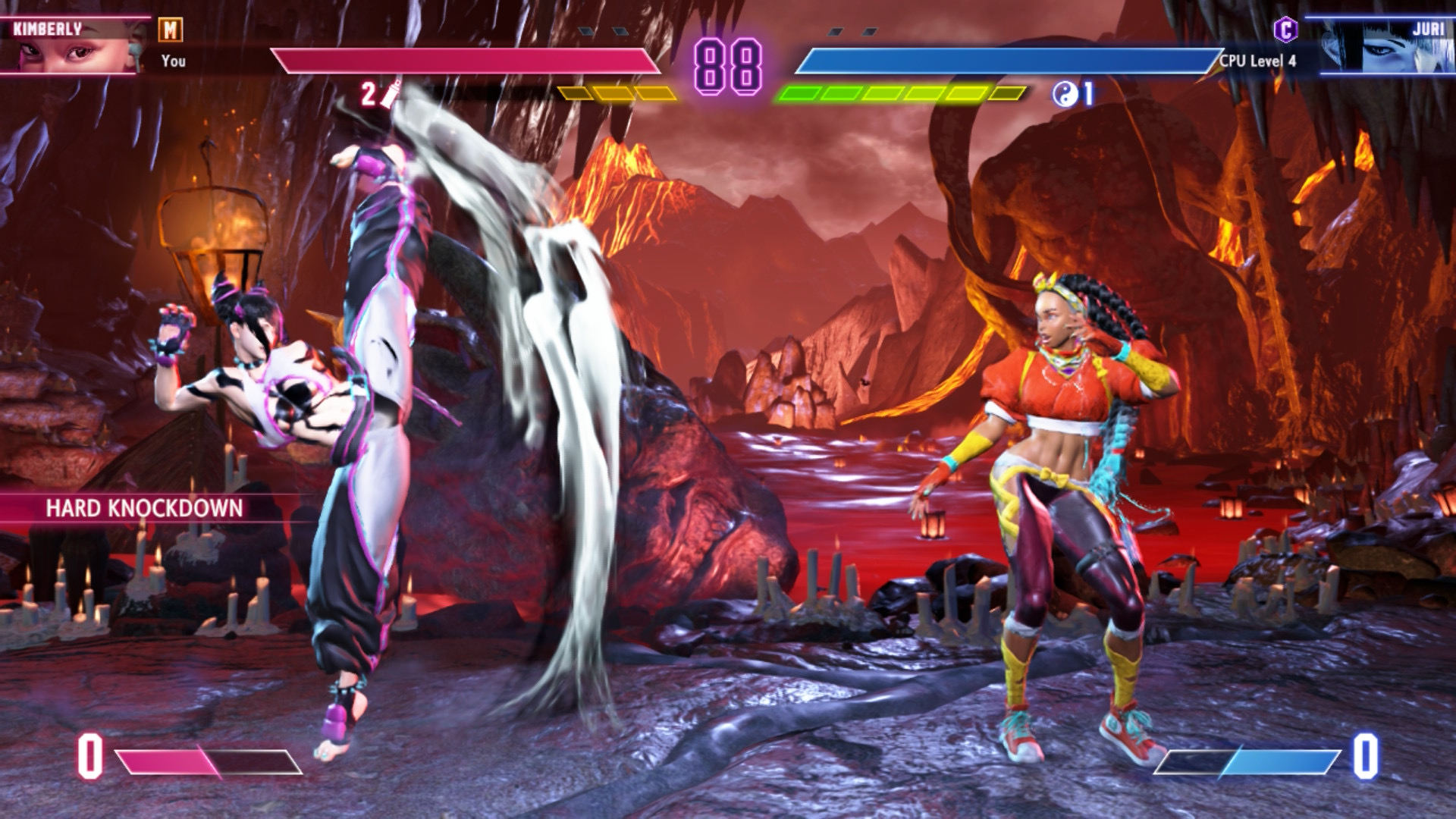
Two of the bigger third-party games available for the Switch 2 at launch are Street Fighter 6 and Cyberpunk 2077. I have both of these games on PS5, and although the visuals obviously don’t match those of Sony’s console, they look great on Switch 2 in docked and handheld modes. Street Fighter 6 runs at a solid 60 FPS, and the colorful splashes of paint from Drive moves look excellent on the Switch 2’s screen. I will say that it wasn’t intuitive using classic controls with the Joy-Cons separated from the console. Although the Joy-Con 2’s are more comfortable in my hand than their predecessor, I couldn’t comfortably hold the controllers to execute the button inputs needed for moves. It’s fine with modern controls, though, which I prefer to use anyway.
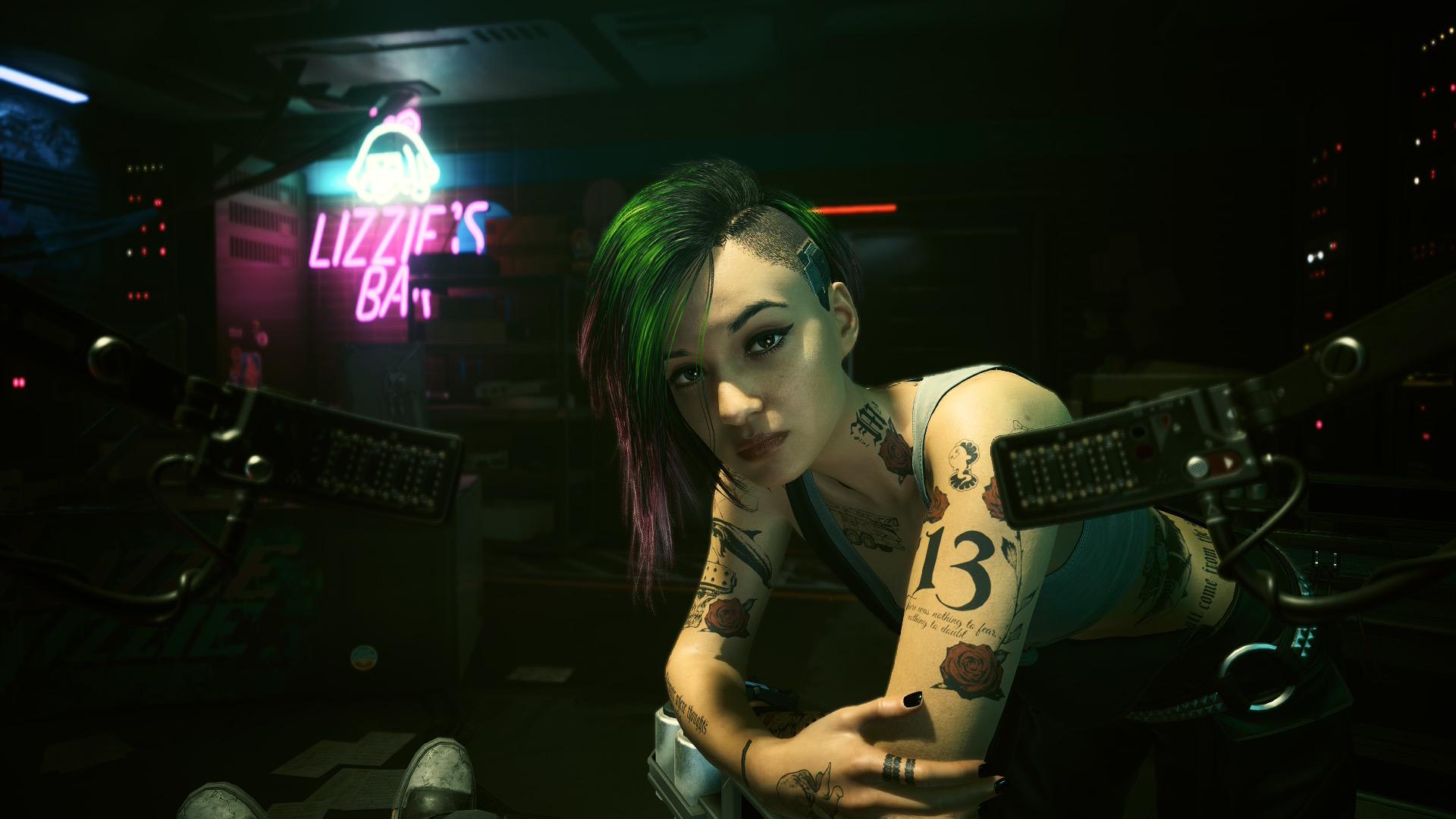
As for Cyberpunk 2077, I think it’s the most impressive game I’ve played on the Switch 2 so far. Visually, it falls somewhere between the PS4 version and the PS5 version, so while it doesn’t have all the visual bells and whistles of more powerful hardware, it still looks pretty darn great and manages to avoid the issues that I had with the last-gen version running on PS5. The visual quality of the screen also shines here, in my opinion, as Night City looks excellent when taken on the go. Performance-wise, I’ve had the frame rate drop a few times when driving around Night City, but it was never too severe. As always, I recommend checking out Digital Foundry’s coverage on it for more in-depth analysis, especially when it comes to the Phantom Liberty side of things, since I haven’t touched it yet.
Cyberpunk also has a couple of features that are specific to the Switch 2, such as gyro support and minor motion controls, but most notably, it supports the Joy-Con 2’s mouse controls. It has to be toggled on in the menu, so you can’t seamlessly activate it during gameplay, but it’s a fun addition. I’ve never played a game with a mouse and keyboard, so using half of that setup here required some brain recalibration on my end, but I enjoyed it far more than I expected to, and I suggest others give it a try as well. Overall, this is a great port by CD Projekt Red, and I highly recommend you pick it up, whether you’ve played Cyberpunk 2077 already or not.
One thing I haven’t mentioned yet throughout this review is the battery life. Nintendo says that depending on the game being played, the Switch 2 will last for 2-6.5 hours before needing to be charged. This is a notable decrease from the 4.5-9 hour battery of the original Switch. When playing Street Fighter 6 and Cyberpunk 2077, the battery went from full to near dead in about two hours. Considering how intensive those two games are, this doesn’t surprise me too much, but I had hoped to get a bit more time out of the system when playing them.
When in sleep mode, Nintendo says the Switch 2 will take 3 hours to charge, and I think that’s mostly accurate. I say “mostly” because there have been a few times where I docked my system after playing handheld for a while, and when I returned to it over 3 hours later, it was hanging in the 90% range, but not at 100%. In the settings, there’s an option to prevent the system from charging past 90% to prolong the battery’s life over time, but I haven’t turned this setting on yet. Perhaps the Switch 2 slows down its charging speed by default once it hits a certain battery level?
I’ve also encountered a weird battery issue with the Joy-Con 2’s. There have been a couple of times when I’ve gotten a low battery notification for the left Joy-Con, but not the right one. It’s baffling because I always play with both of them at the same time for the same amount of time, and I always attach them to the system when it’s docked after I’m done playing. I’m not sure if it’s an issue with the battery or if it’s an issue with how it’s being tracked/displayed, but I checked online, and I’m not the only person who’s had this issue. People online have said an update that went out on June 19 may have fixed this problem, but I’ll need more time to see for myself.
The Verdict
Although I’ve been a Switch owner since 2018, it was always the secondary system that I had primarily for Nintendo’s first-party offerings, with a few indies and third-party titles thrown into the mix. It was never the console I gave my heart to, but I always loved its innovative spirit. So when it came to the Switch 2, I didn’t want Nintendo to rock the boat too much. Just give us a better version of what we already had. And that’s exactly what happened, for better and for worse.
On one hand, it’s great that the company focused on making sure the Switch 2 was up to par with modern hardware in various ways. Making it bigger and more comfortable, making the screen 1080p, adding 1440p and 4K output resolutions when docked, supporting HDR and 120 FPS gameplay in handheld and docked mode, including NVIDIA’s DLSS technology; these were all must-have features if the Switch 2 wanted to meet expectations and be able to hang with the current-generation of PlayStation and Xbox consoles, their future successors, and all the other gaming handhelds that have been entering the space since 2017.
On the other hand, as great as all that is, it’s a classic case of Nintendo playing catch-up with the rest of the industry. That, in and of itself, isn’t a bad thing. After all, Nintendo consoles are largely renowned for their library of imaginative and charming first-party games, not their use of bleeding-edge technology. But in this case, Nintendo’s long-awaited adoption of modern technology plays a factor in the Switch 2 not feeling as exciting as new consoles typically are, since that’s the big draw here. There’s very little about the Switch 2 itself that screams “new console to be excited about.” If anything, the Switch 2 feels more like the mythologized “Switch Pro.”
The UI is exactly the same as before, albeit with a functional eShop at long last. The games you already own run better, but otherwise, they play exactly the same as before. The day one launch lineup is mostly ports and enhanced editions of already released games, with the most exciting games being a single first-party title in Mario Kart World, and an “I can’t believe they pulled it off” port in Cyberpunk 2077. To be fair, launch lineups for new consoles are tough, and there are first-party games on the horizon to be excited about, like Donkey Kong Bananza in July, Pokémon Legends: Z-A in October, and Metroid Prime 4: Beyond at some point this year. As for the new features Nintendo did add, mouse controls are a cool inclusion that don’t get in the way of the fun, and GameChat is an excellent take on Discord voice chats.
As a console, I think the Switch 2 is just as great as its predecessor. The core concept of playing console games anywhere I want, whenever I want, is still masterfully executed here in the most no-frills way possible. That’s a testament to how much Nintendo got right on their first attempt with the original Switch. But as a follow-up to that system, the Switch 2 feels like more of an iterative update than anything.
So here’s how I see things. If you’re someone like me, who uses their Switch as a secondary console, maybe consider how much you’ll actually be using it and how important Nintendo first-party titles are to you at this current point in time. But if you’re a diehard Nintendo fan or if the only gaming system you’ve had for the past eight years was the original Switch, then you should definitely get the Switch 2. It’s a long-overdue upgrade that might be overly familiar, but it improves on the original in just about every way.
 TheComfySpot